

Cazeus Casino Login Guide for Secure Access in the UK
If you are looking for Cazeus Casino Login details in the UK, the main thing to understand is that secure access starts with the right account information, not with the device you use. The sign-in process is usually straightforward, but small mistakes like typing the wrong email or using an old password can slow it down. This page explains how to reach your account on desktop, mobile, and the Cazeus Login App. It also covers what to do when you have just completed Cazeus Casino Sign Up and need to return later. Learn more about Cazeus Casino Review.
For readers comparing Cazeus UK Login options, the best approach is to treat every sign-in as a security check. Use a private device when possible, verify the page before entering details, and keep your password unique to the account. If you are new, the Cazeus Login Register route is the point where your account is created and prepared for future access. The guidance below keeps things practical without assuming any technical knowledge.
How to Access Your Cazeus Casino Login Account

Most people reach Cazeus Casino Login from a browser link or a saved bookmark, and the account page usually asks for the same basic details each time. The important part is making sure the email or username matches the one used during registration. A secure connection matters just as much as the password itself, especially if you are signing in from a shared network. If you are still waiting to create an account, Cazeus Casino Sign Up comes before any login attempt.
Once the account is active, Cazeus Casino Uk Login should feel familiar on every device because the core credentials do not change. The main differences usually come from browser autofill, password managers, or whether you are using mobile data instead of home Wi-Fi. That is why a careful first attempt often saves time later. It also helps to know where recovery tools sit before you need them.
What details do I need before I sign in?
To complete Cazeus Login, you normally need the email address or username tied to your profile and the password you chose during registration. If the account uses extra verification, you may also need access to your phone or email inbox. The safest habit is to type the details slowly the first time and let the browser fill them only after you have confirmed they are correct. That simple step avoids the most common input errors.
If you cannot remember the password, do not keep guessing because repeated failures can trigger a temporary lock. Instead, use the reset path and check whether your saved password matches the one on record. This is especially useful for Cazeus UK Login if you move between devices often and rely on different keyboards. A clean reset is usually faster than trying several old combinations.
Which checks help keep the login safe?
Before you use Cazeus Casino Login, make sure you are on a private device or at least on a browser profile that only you control. Public computers and shared tablets can keep session data, which is not ideal for account security. It also helps to look for a normal page load and avoid continuing if the connection seems broken or incomplete. A few extra seconds of checking can prevent a lot of trouble later.
After signing in, log out if you are on a device that someone else could use. Saved passwords are convenient, but they should only stay on devices you trust. If you are handling Cazeus Casino Uk Login from a shared home computer, use a separate browser profile or clear the session when you are done. That habit protects both your account and your personal details.
A quick Cazeus Login check before you type anything can prevent most avoidable mistakes.
- Confirm that the email address or username matches the one used when the account was created.
- Check that your password is current and that caps lock is not turned on by accident.
- Use a private browser window if you are on a shared computer or tablet.
- Make sure your device has a stable connection before you enter your details.
- Keep access to your recovery email or phone nearby in case verification is requested.
These small checks make Cazeus Casino Login smoother and reduce the chance of a failed attempt.
Cazeus UK Login Steps for Desktop and Mobile Users

On both desktop and mobile, Cazeus UK Login usually starts with the same account details, but the way you reach the form can feel slightly different. Desktop users often work faster with a full keyboard and password manager, while mobile users may rely on autofill or biometric shortcuts. The key is to stay consistent about which account you are using. That matters most if you have more than one browser profile or device.
The login flow for Cazeus Login is simple enough, but the way you tap, type, and verify details changes depending on screen size. A laptop gives you more room to spot mistakes, while a phone can hide part of the page if the keyboard is open. Small adjustments like rotating the device or closing pop-ups can make the process smoother. The steps below show the typical route without assuming a particular device brand.
How do I log in on a desktop browser?
On a computer, Cazeus Casino Login usually begins by opening your browser and going to the account sign-in area. Once the form appears, enter the registered username or email and then the password you set earlier. If your browser offers saved details, check them carefully before accepting them. A single mistyped character is often enough to stop access.
If the page loads slowly or looks incomplete, refresh once and then try again rather than opening several tabs at the same time. That keeps the session cleaner and makes it easier to see whether the issue is the page or your details. If you are still setting up access, finish the Cazeus Login Register process first so the account is active. After that, desktop sign-in should feel routine.
What changes when I use a phone or tablet?
On a phone or tablet, Cazeus Login works much the same, but the smaller screen means the keyboard can cover part of the form. It helps to tap the input fields carefully and wait for autofill suggestions to settle before pressing submit. Mobile browsers sometimes save old credentials more aggressively, so double-check the selected account. This is especially useful if you share a device with another person.
If the page shifts around while you type, turn the device sideways or close any banner that is hiding the buttons. Using Cazeus UK Login on mobile is usually easiest when the browser is updated and the signal is stable. Try not to switch between apps mid-process, because that can interrupt the session. A focused attempt usually solves more than one device-related issue.
A simple order to follow keeps Cazeus Casino Uk Login neat on both desktop and mobile.
- Open your browser or app and go to the account sign-in area.
- Enter the email address or username linked to your profile.
- Type the current password carefully and check for typos.
- Complete any verification prompt if the system asks for it.
- Wait for the account dashboard or homepage to load fully.
- Log out when you finish, especially on a shared device.
Following the same sequence each time makes Cazeus Login easier to remember and safer to use.
Using the Cazeus Login App on Phones and Tablets
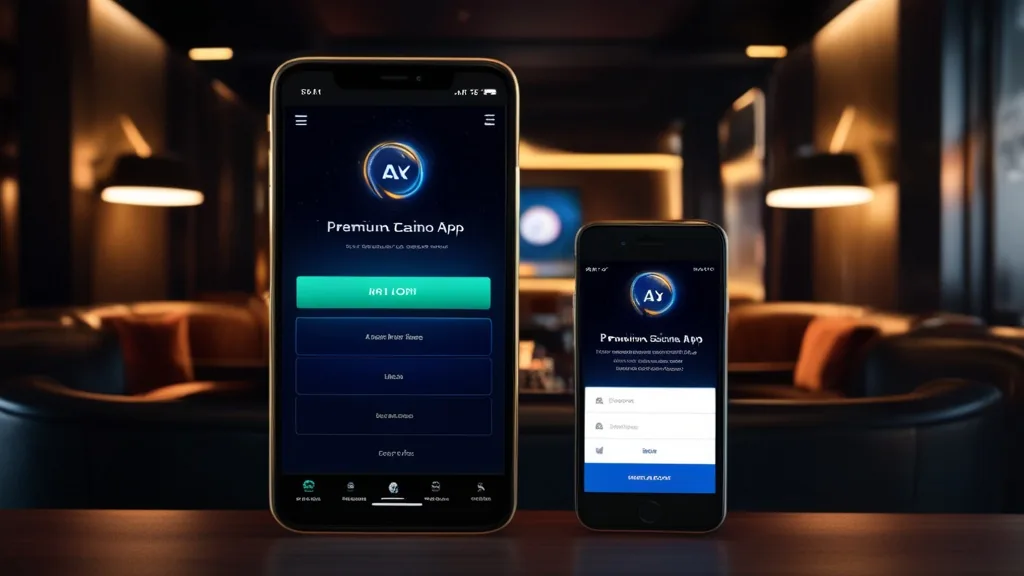
The Cazeus Login App is mainly useful for people who prefer quicker access on a phone or tablet instead of opening a browser every time. In practice, the app can make repeat visits feel smoother because the interface is built for smaller screens. Some users also like the possibility of quicker sign-in methods such as biometrics, depending on the device. Even so, the same account security habits still matter.
Not every user needs the app to reach Cazeus Casino Login, but many people find it convenient when they access the account often. Browser login still works well, and it can be simpler if you do not want to install anything. The app becomes most useful when you want speed, regular access, and a cleaner mobile layout. That is why it helps to compare the app with browser use before deciding how to sign in.
Is the app different from a mobile browser?
The Cazeus Login App is usually designed to make the mobile experience faster, so the layout is more focused than a standard browser page. That can mean fewer menus, fewer distractions, and easier access to account functions once you are inside. In contrast, a browser gives you a familiar environment and does not require installation. Both approaches can work well if your credentials are correct.
For many players, Cazeus Casino Uk Login through an app feels more direct because the session can stay ready between visits. A browser may be a better fit if you only log in occasionally or prefer not to store another app on the device. Neither option changes the account requirements themselves, so the same username and password still apply. The choice mostly comes down to convenience and device habits.
What should I check before opening the app?
Before using Cazeus Login, check that the app is current and that your phone has enough storage for it to run properly. It also helps to review permissions so the app can behave normally without unnecessary interruptions. If the device has been idle for a while, a restart can clear small glitches that affect sign-in. These checks are simple, but they often prevent delays.
If the app asks for biometric confirmation and it fails, switch back to the password rather than repeating the scan too many times. That is often the quickest fix for Cazeus UK Login on phones and tablets. You should also confirm that the device lock screen is working, because app access is only as secure as the phone itself. A stable device usually means a smoother sign-in.
| Access method | Best for | Typical advantage | Possible limitation |
|---|---|---|---|
| Cazeus Login App | Frequent mobile access | Fast entry and possible biometric sign-in | Needs a compatible phone or tablet |
| Mobile browser | Occasional access | No installation required | Can be slower than the app |
| Desktop browser | Longer sessions | Easier typing and password management | Less convenient on the move |
| Tablet browser | Larger mobile screen | More room to view forms clearly | May still depend on browser settings |
Cazeus Casino Sign Up and Login Register Process

For new users, Cazeus Casino Sign Up is the step that creates the account, while Cazeus Login Register is the moment when those details become useful later. That sequence matters because you cannot sign in until the profile exists and any initial checks are complete. The sign-up form usually asks for basic personal details and a chosen password. Once those details are stored, the account is ready for future access.
After registration, Cazeus Casino Login uses the same core credentials each time you return. Some users think sign-up and login are two separate systems, but they are really two stages of the same account journey. First you create the profile, then you use it repeatedly. Understanding that flow makes the process easier to remember and reduces confusion when you come back later.
What do new users need to provide?
During Cazeus Login Register, the basic information usually includes an email address, a password, and personal details that identify the account holder. Age checks may also be part of the process because gaming accounts need to verify that the user is eligible. The most important part is entering information accurately from the start. If the details do not match later, recovery becomes more complicated.
It is smart to use an email address you still access regularly when completing Cazeus Casino Sign Up. That makes it easier to confirm the account and recover access if something goes wrong. Choose a password you have not reused elsewhere, because account security depends on more than just the sign-in page. A careful registration step makes future logins much simpler.
How do sign up and login connect?
Once the account is created, Cazeus Login simply reuses the same details you entered at sign-up. That means your username or email and your password become the key pieces of information to keep safe. If you change either one later, update your memory or password manager immediately. Otherwise, the next sign-in attempt can fail even though the account is still active.
The link between Cazeus Casino Uk Login and registration also matters when you add verification methods or change contact details. If you create a new account by mistake, support may need to help you sort out which profile is the correct one. Keeping one clean set of details is always easier than managing duplicates. That is why a careful start saves time later.
Fixing Common Cazeus Casino Login Problems Quickly

Most login issues with Cazeus Casino Login come from simple causes such as a mistyped password, an outdated browser cache, or a verification prompt that was not completed. That is why it helps to troubleshoot the basics before assuming the account is blocked. A quick check often solves the problem in less time than waiting and trying again at random. If the issue started on mobile, the same logic still applies to Cazeus Login.
If you are using the Cazeus Login App, temporary glitches can also come from app updates or device settings rather than the account itself. The good news is that many access problems are easy to narrow down once you know where to look first. Small fixes like restarting the device or clearing old data can make a difference. The sections below focus on the issues most users run into.
Why does the password not work?
If the password fails during Cazeus UK Login, first check for caps lock, a stuck key, or an old password saved by your browser. It is surprisingly common for the browser to auto-fill a previous credential without warning. If you recently changed the password, the new one may not have synced across all devices yet. Try typing it manually before attempting any other fix.
When repeated attempts do not help, reset the password instead of guessing. That is usually faster than waiting for another failed Cazeus Casino Uk Login attempt to time out. Make sure you can access the email or phone tied to the account before starting the reset. Once the new password is set, save it in a secure place so the problem does not repeat.
What if the page will not load or keeps refreshing?
A page that keeps refreshing during Cazeus Casino Login is often caused by browser cache, a temporary connection issue, or a script blocked by an extension. Clearing the cache or trying a different browser usually gives a quick answer. If you are using a VPN or strict privacy setting, that can sometimes interfere as well. A clean browser session is the simplest place to start.
On mobile, the Cazeus Login App or browser may misbehave if the device is low on memory or has too many apps open at once. Close background apps, reopen the page, and try again with a stable signal. If the problem only happens on one device, the issue is probably local rather than account-based. That distinction saves a lot of time when you are troubleshooting.
When should I contact support?
If the account details are correct and Cazeus Login Register still does not let you in, support becomes the sensible next step. This is especially true when security checks keep repeating or the account appears blocked after verification. Be ready to confirm your identity and explain what happened during the failed attempt. Clear information helps support narrow down the issue quickly.
You should also contact help if you used Cazeus Casino Sign Up recently and the profile never became fully active. In that case, the problem may be linked to registration rather than the login form itself. Keep a record of the email address, device, and browser you used when the issue started. That information makes it easier to trace the problem.